
In the event you need to request another verification within 30 days of your original request, you are eligible for a reverification, and in turn, a discounted fee for the verification report. Keep reading to learn how to initiate reverification requests in Clear Verify.
Submit a Reverification Request
There are two ways to request a reverification - through the original request, or by starting a new verification request for the same employee within 30 days.
- Initiate a Reverification on an Existing Request
- Initiate a Reverification on a New Request
Initiate a Reverification on an Existing Request
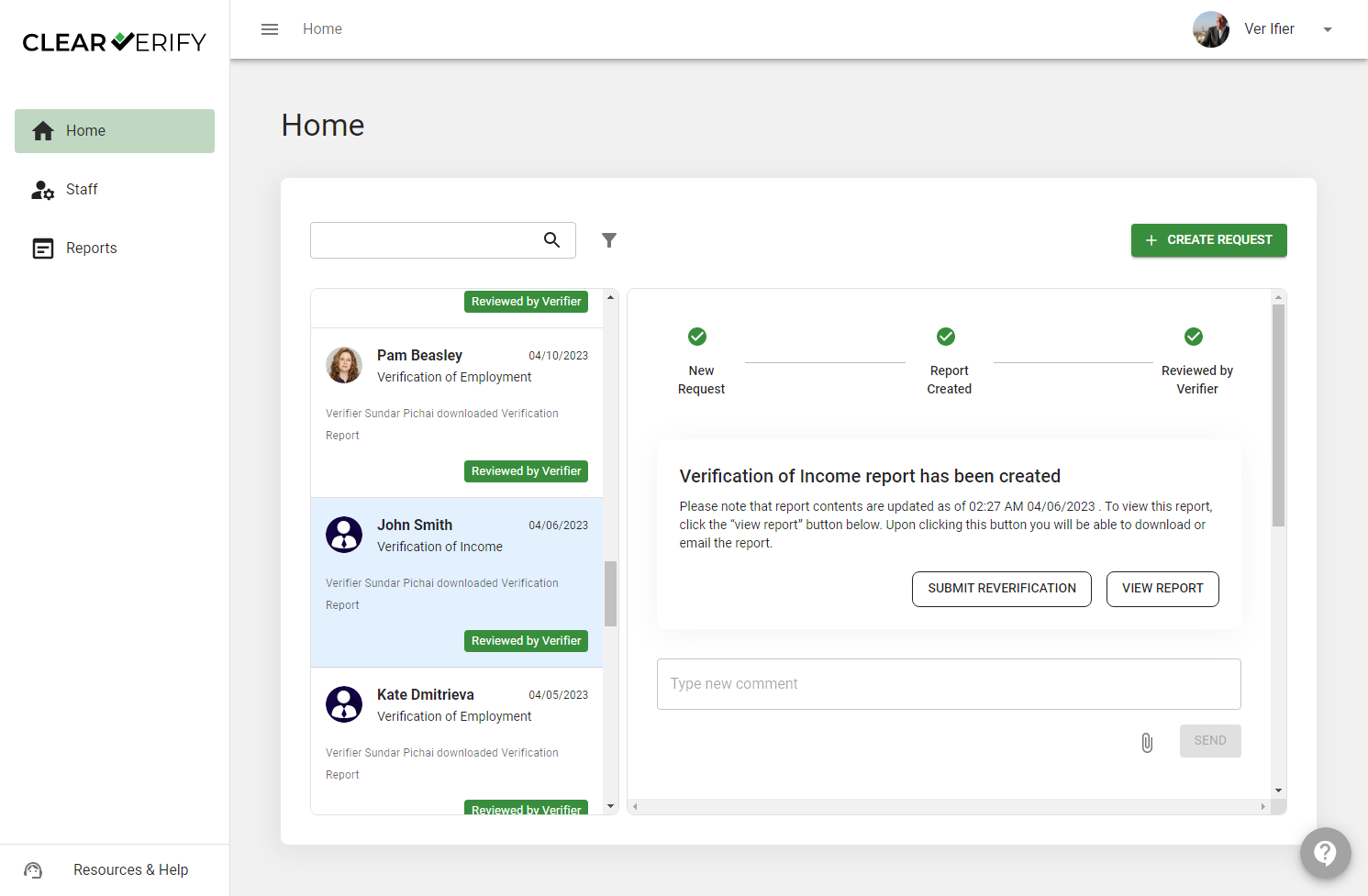
For this method, navigate to the Verification Inbox on the Home page and select the verification for which you want to submit a reverification. Click ‘Submit Reverification.’
You will see a modal, giving you a chance to confirm the verification request details and payment method. Once confirmed, click ‘Yes, Confirm’
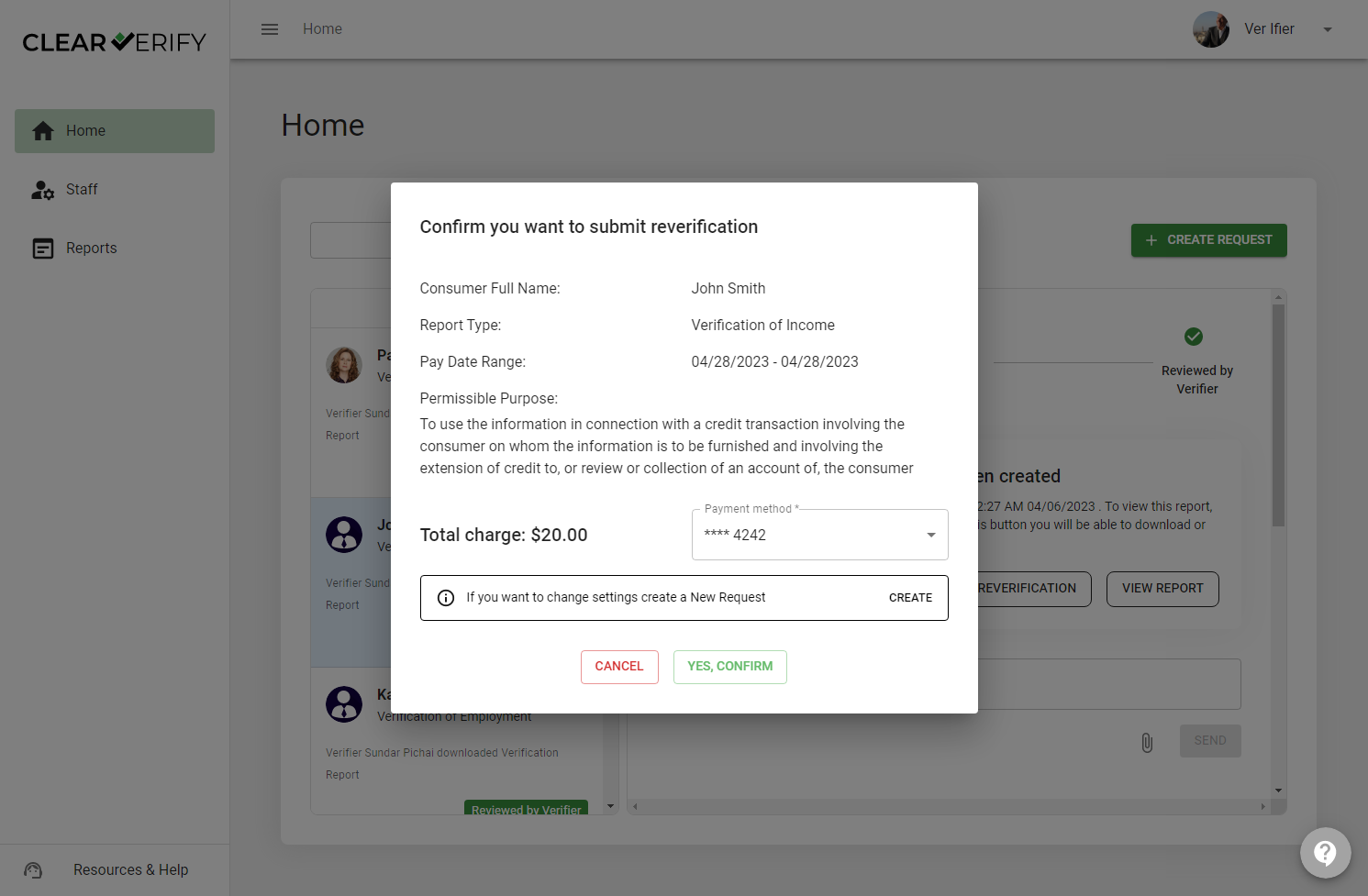
From here, you also have the option to create a new request in case you need to change any of the details of the request.
Initiate a Reverification on a New Request
If you create a verification request for an employee and have requested a verification on them within the past 30 days, a notice will appear on the request modal giving you the option to pay a discounted fee. Click ‘Submit Request’ if you would like to continue with the reverification.
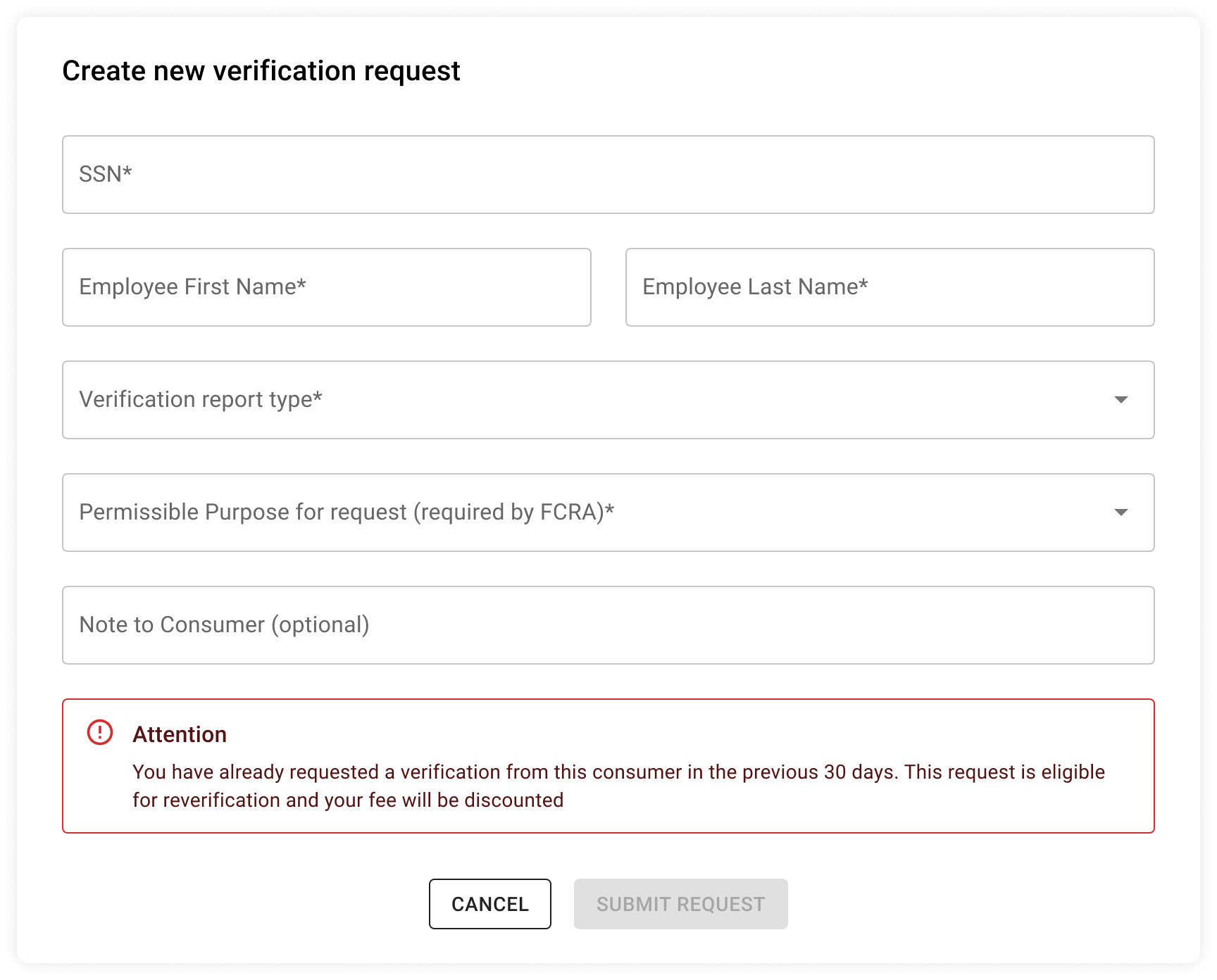
In order to be eligible for a reverification, the initial verification request must have been within the past 30 days, and all details/selections must be unchanged.
Need more help?