
Creating a Clear Verify account is quick and easy! To access your account, simply follow the instructions below to sign up and confirm your information. If you need any help along the way, feel free to contact our support team.
Sign-up Process
The sign-up process is initiated by Clear Verify sending an invite for you to join.
- Click the link or email inviting you to the platform.
- You will be brought to a sign-up page asking your contact and sign-up information. Please use your corporate email when signing up for the platform.
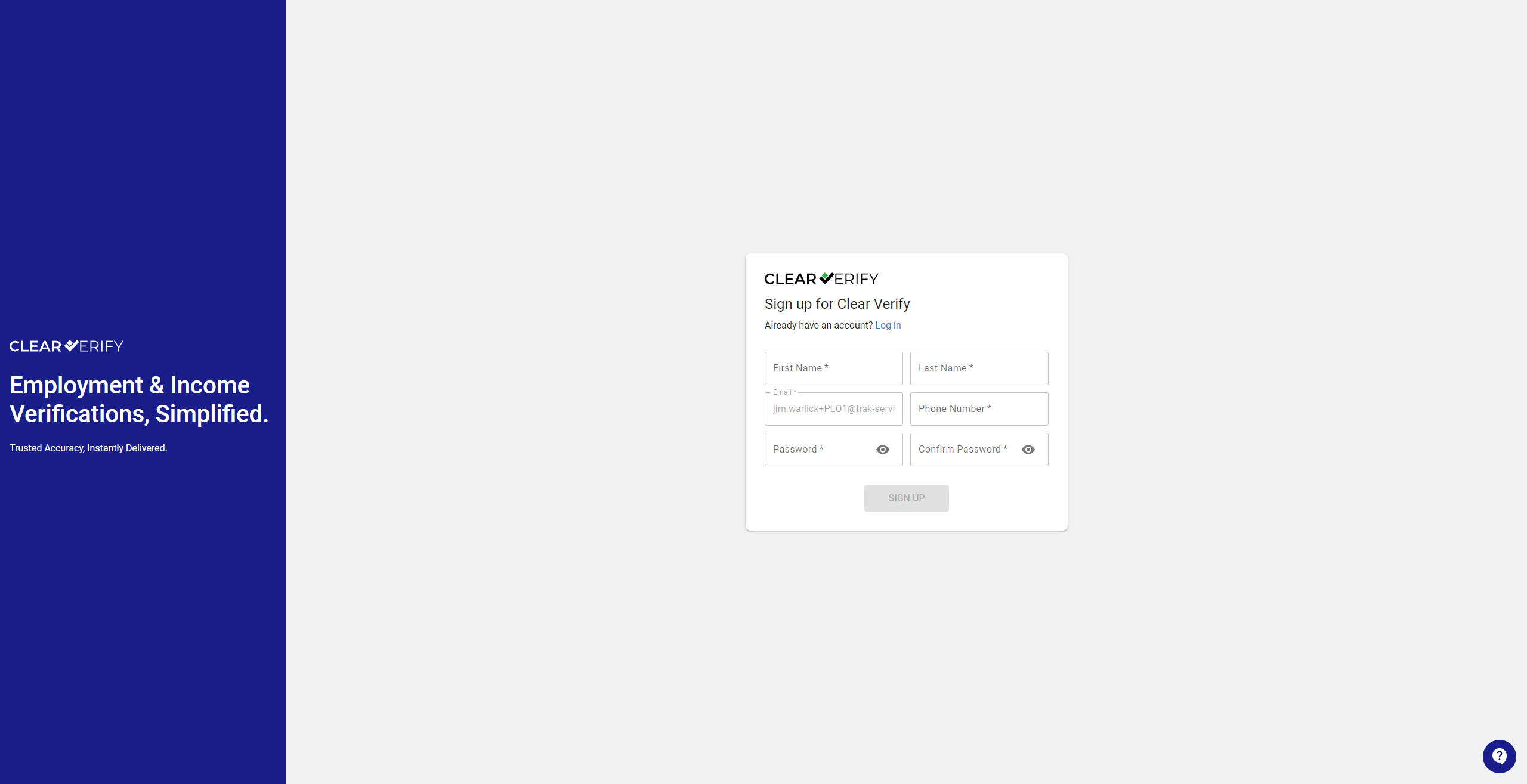
When creating your password, you will need to have a minimum of 8 characters and at least:
- 1 lower case letter
- 1 upper case letter
- 1 number
- 1 special character
- Fill out your company’s information.
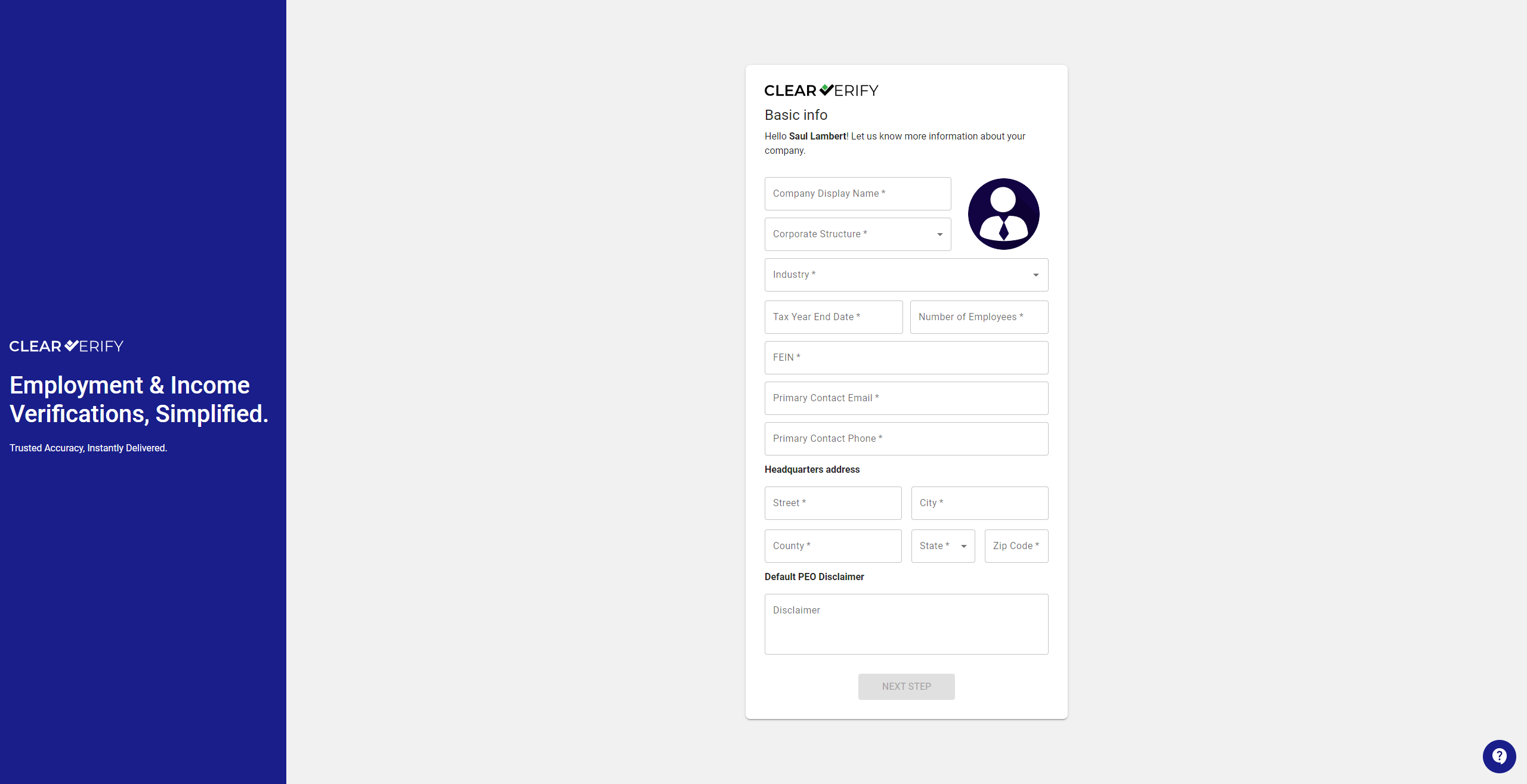
Adding a logo is optional but helpful for verifications and marketing materials.
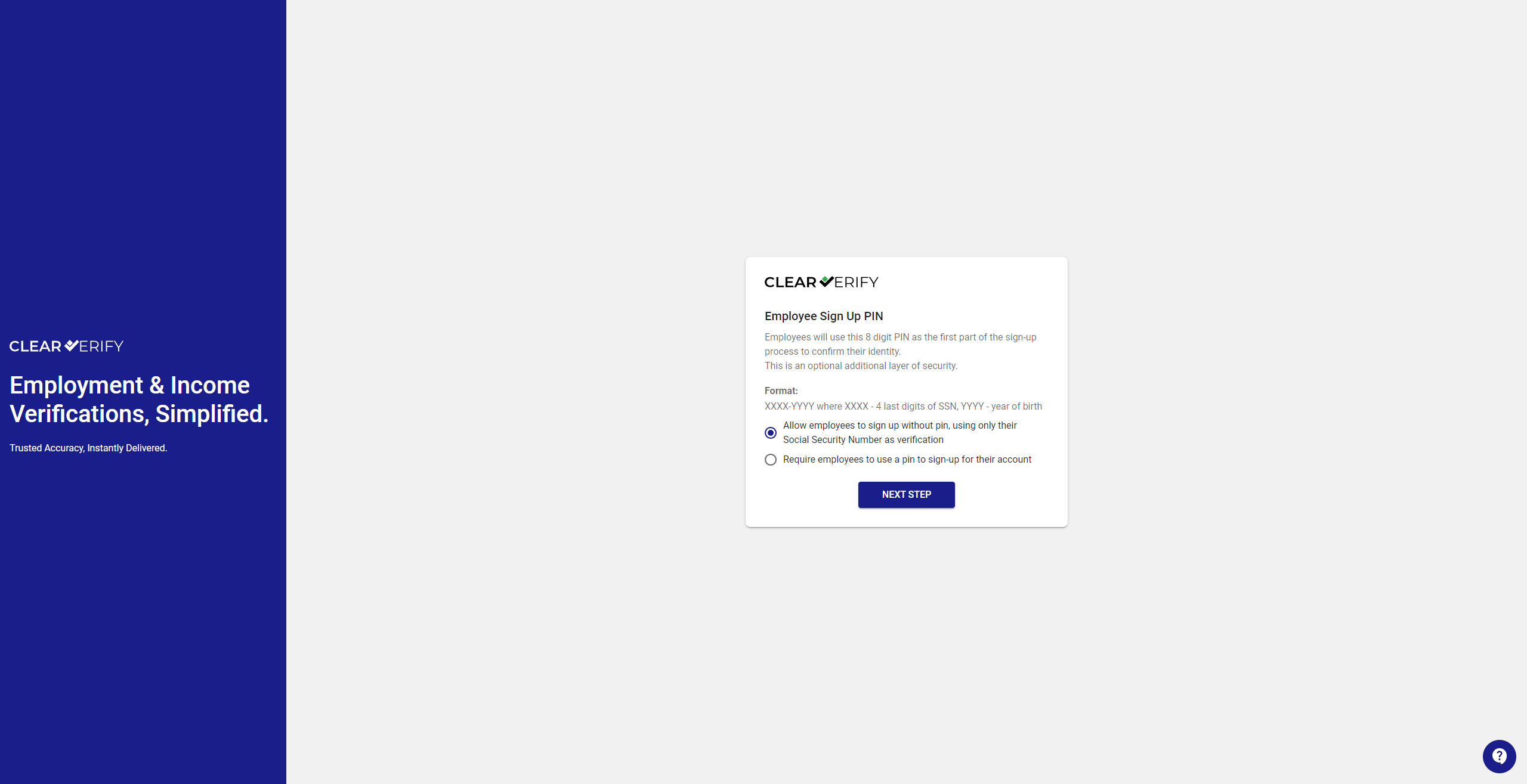
- Set requirements for employers’ employees PIN usage.
Agree to our legal terms.
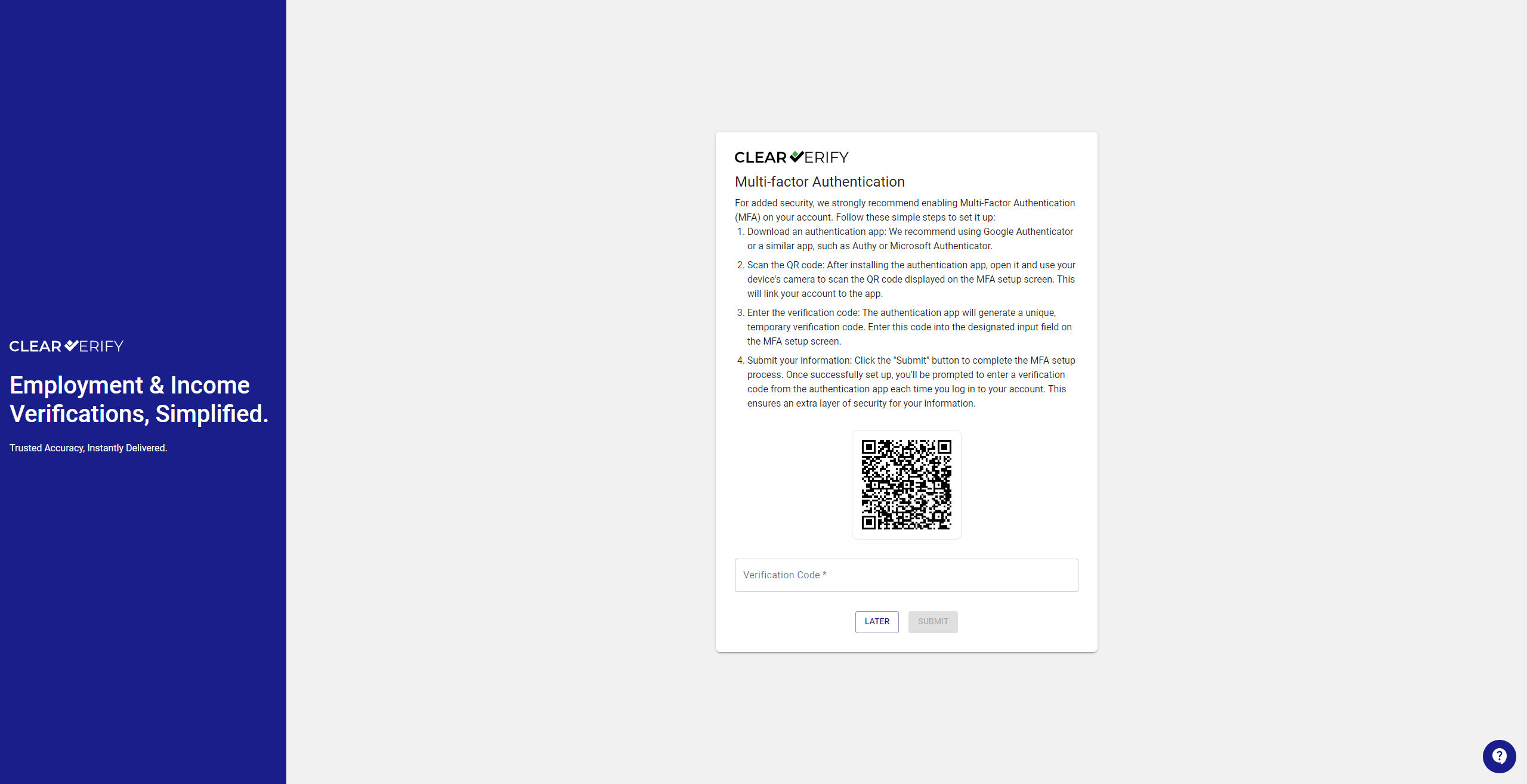
Set up MFA (This is optional and can be set up later)
After setting up or skipping MFA set-up, you will be navigated to your home page. Welcome to Clear Verify!
Need more help?