
As an optional added layer of security, Clear Verify gives you the option to set up an Employer Personal Identification Number (PIN). Employees will use this pin when signing up for an account to further validate their identity before allowing them to set up their account.
Employee Pin
To set up your Employee Pin, navigate to ‘My Account’ by clicking the toggle icon next to your name and then to the Settings page.
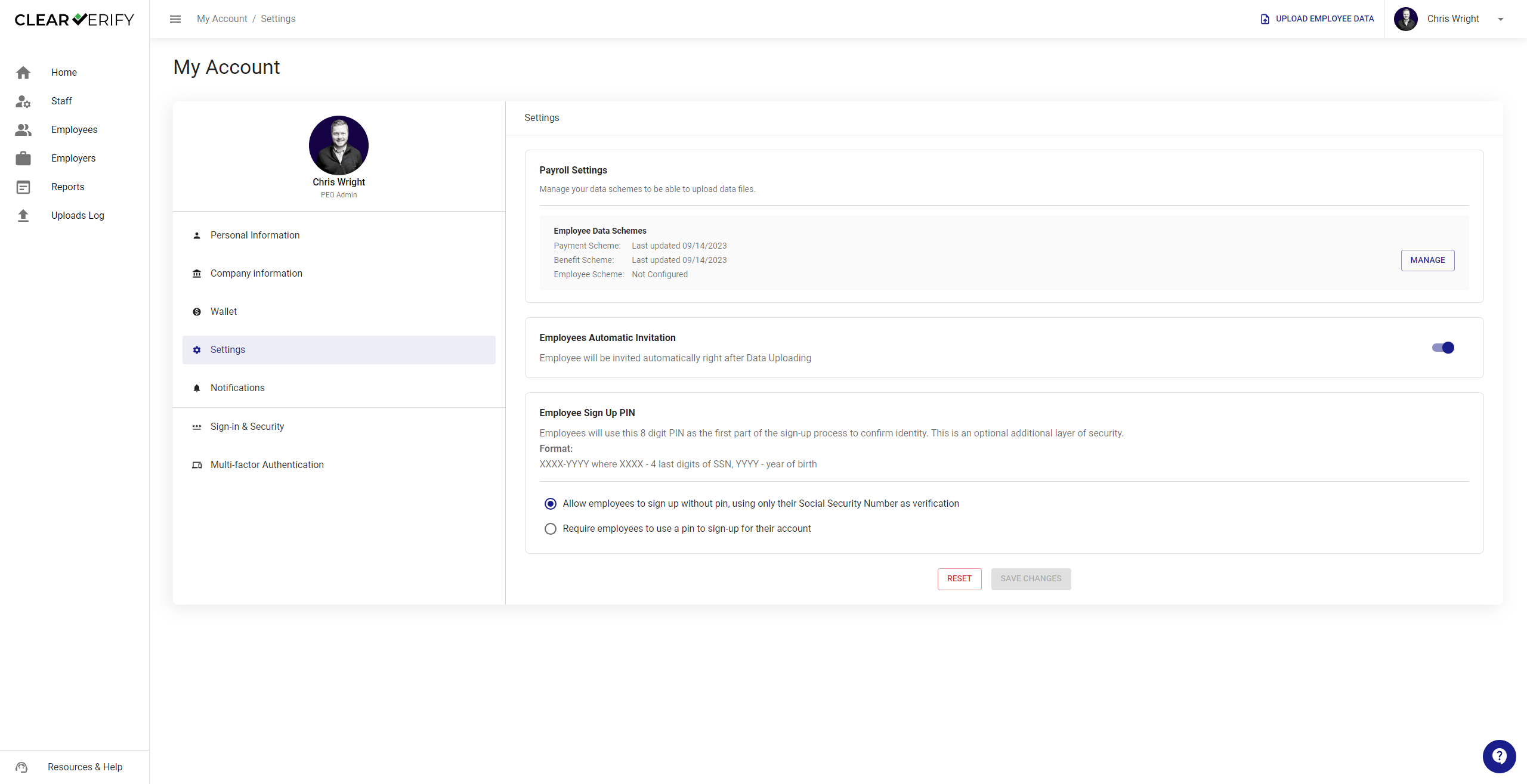
With this setting turned on, employees will need to have this pin in order to create an account.
If you have this option turned on:
- Pin Length: Your pin will be an 8 digit, unique to end-user, code.
- Code Format: The format to share with employees will be listed above the selected options.
Once you have made your selections, click ‘Save Changes.’
When setting up the Employee Sign Up PIN, please make sure the data sources you selected are included in the information you provide us with. We will match your selection to the unique employee information in our records.
Need more help?