
Mortgage broker requests that you verify your employment and income? Use the My Verify feature to send your verification directly to the verifier requesting it. My Verify enables you to send verifications, download Work Letters, access your Free Annual Verification Report, and more!
Topics:
- Sending a Verification
- Downloading a Work Letter
- Downloading Your Annual Free Verification Report
Sending a Verification
To send an employment and/or income verification to a verifier, fill out the information in the form, select the type of verification, and choose who you want to send it to.
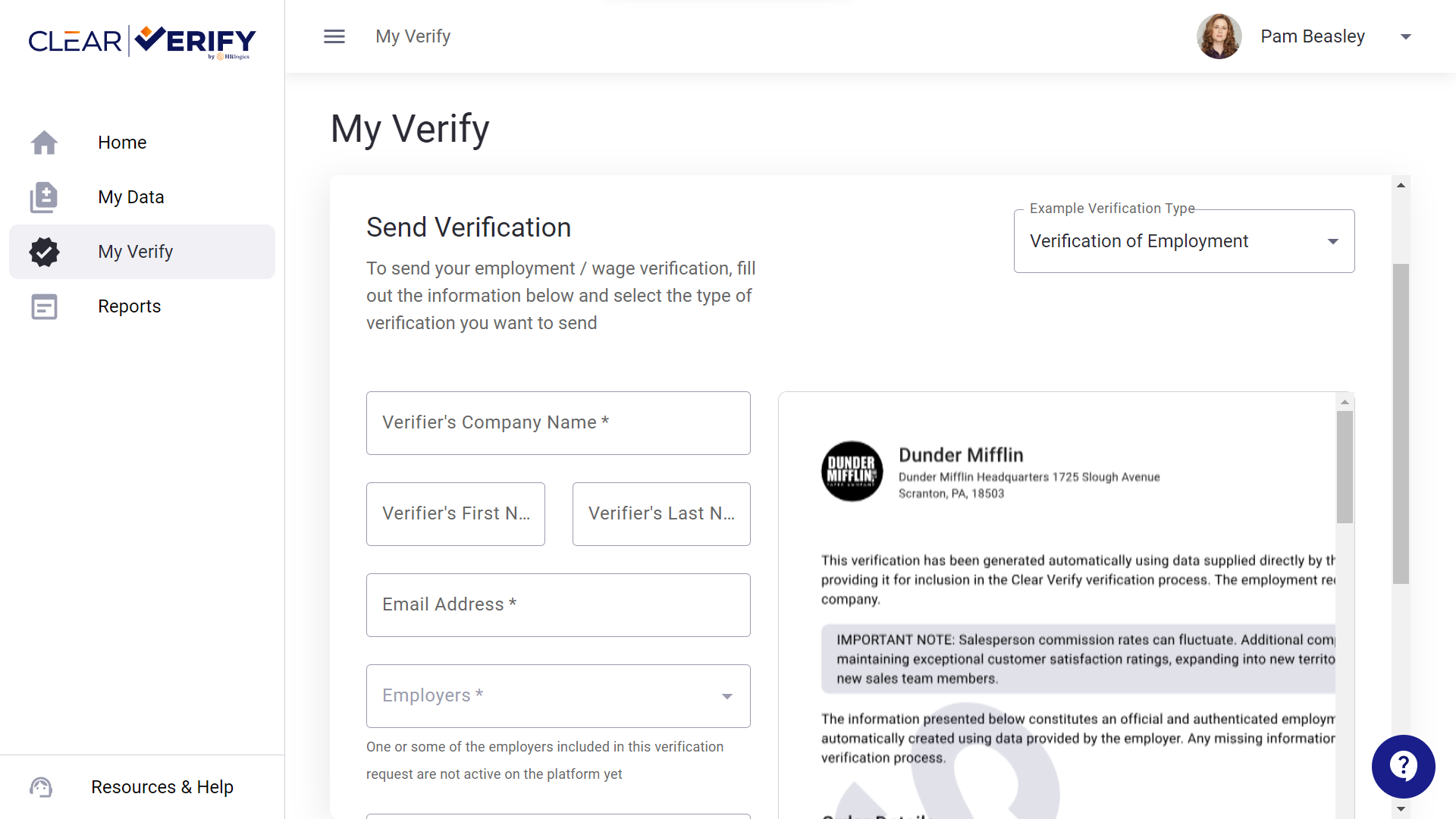
To send a verification to the verifier, you only need to complete a few fields! Make sure you have your Verifier’s :
- Company Name
- First Name
- Last Name
- Work Email Address
Once you choose your employer and add a note, click ‘Send Verification.’
Downloading a Work Letter
If you need an Immigration Work Letter, simply scroll down on the My Verify page and select ‘Get Immigration Work Letter.’
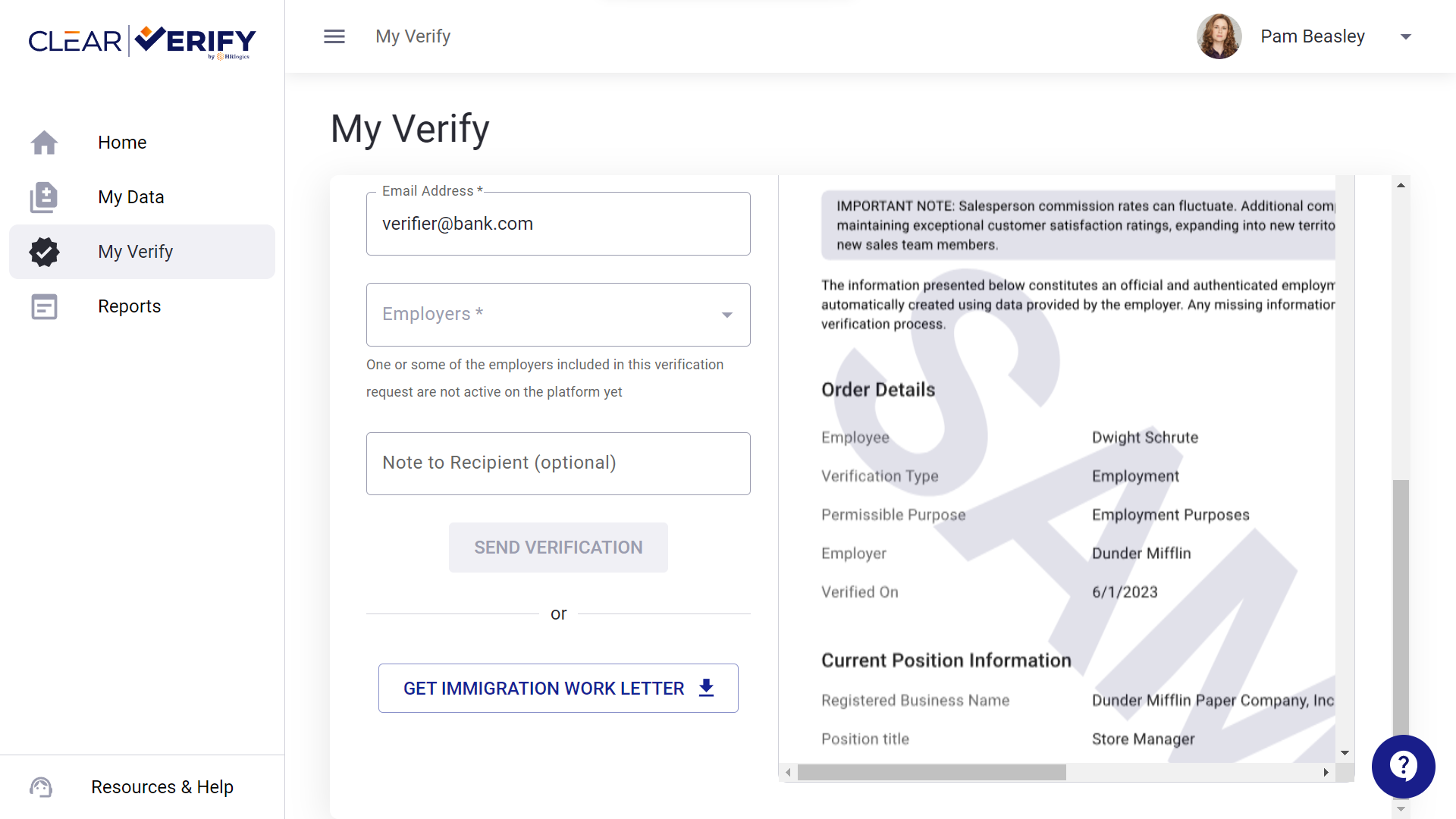
The letter will automatically download, and include your employer’s header, ensuring your verifier can trust the report. You can download this work letter at your convenience.
Need a verification report you don’t see here? Reach out to support@clearverify.com and let us know!
Downloading Your Annual Free Verification Report
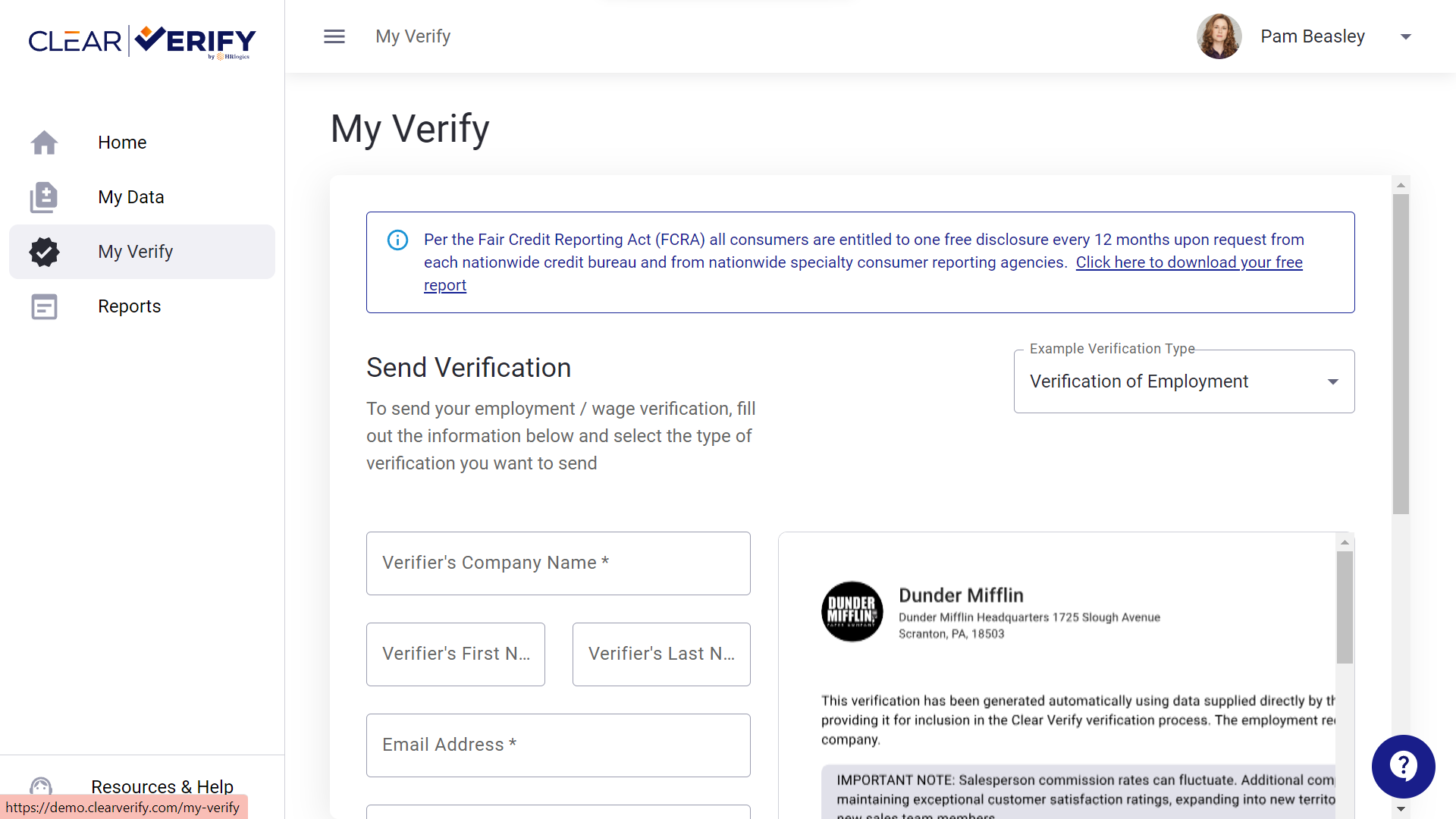
Per the Fair Credit Reporting Act (FCRA) all employees are entitled to one free disclosure every 12 months upon request. To download this report, click the link at the top of the My Verify tab.
Once you click the link, you will see a pop-up asking you to confirm you want to download this report.
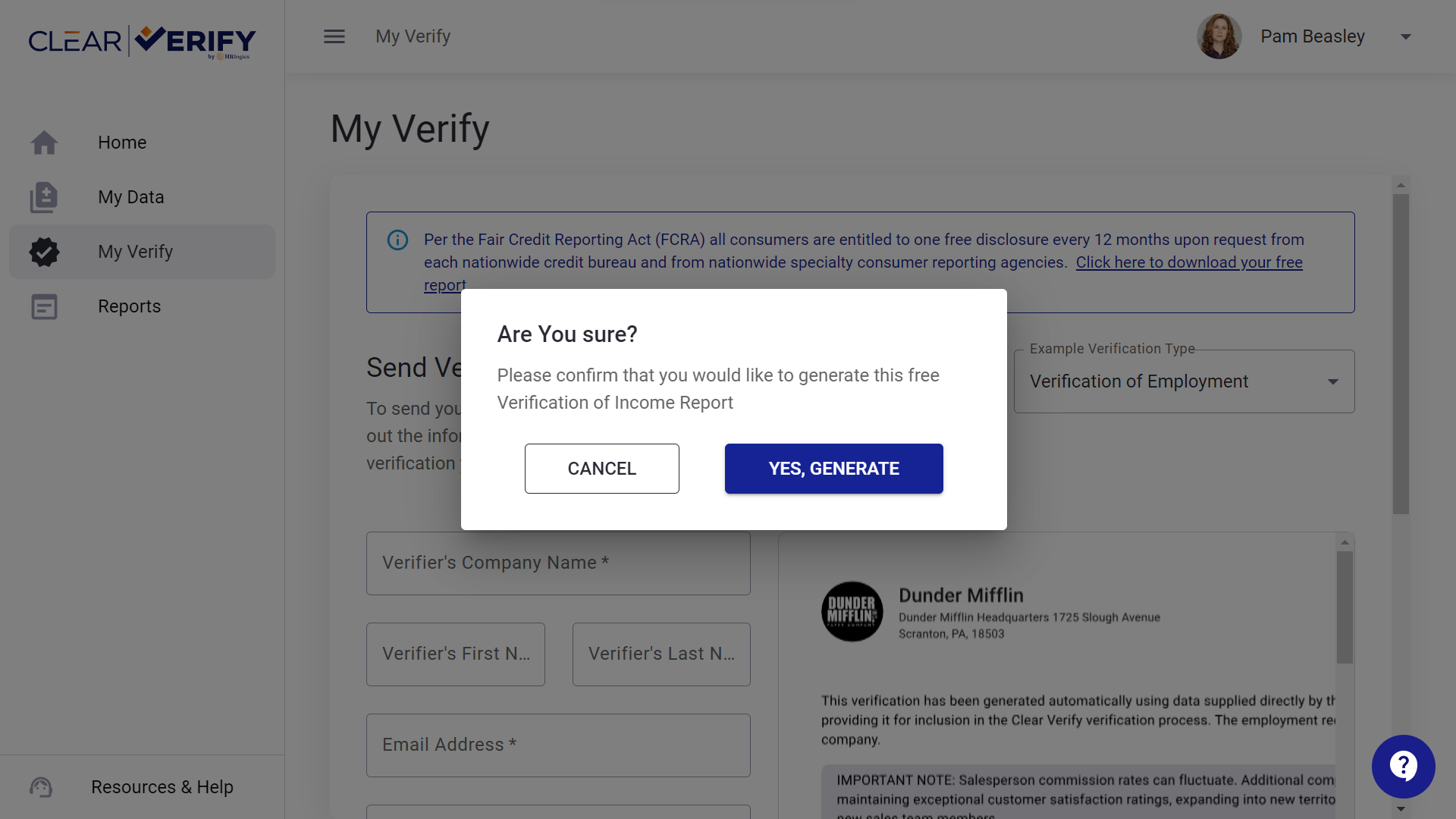
Once you confirm, the report will automatically download.
Please Note: Once you download this report, you will not be able to generate another report until the next year. However, you can return to this report at any time.
Need more help?