
To ensure the employment and income verification reports are correct for your employees, it’s important that we have an accurate mapping of your corporate structure and location breakdown. Once this is set, the information in this structure will tie into the data you provide us with, ensuring the most accurate mapping of people to organizations and locations.
Mapping FEIN Hierarchy
Navigate to the dropdown to the right of your name, and click ‘My Account.’ Then select the FEIN tab.
Don’t worry - a member of the Clear Verify onboarding team will be available to support with this set up!
- Set your Parent FEIN - to ensure we have the right structure from the top, we first have to make the primary parent FEIN
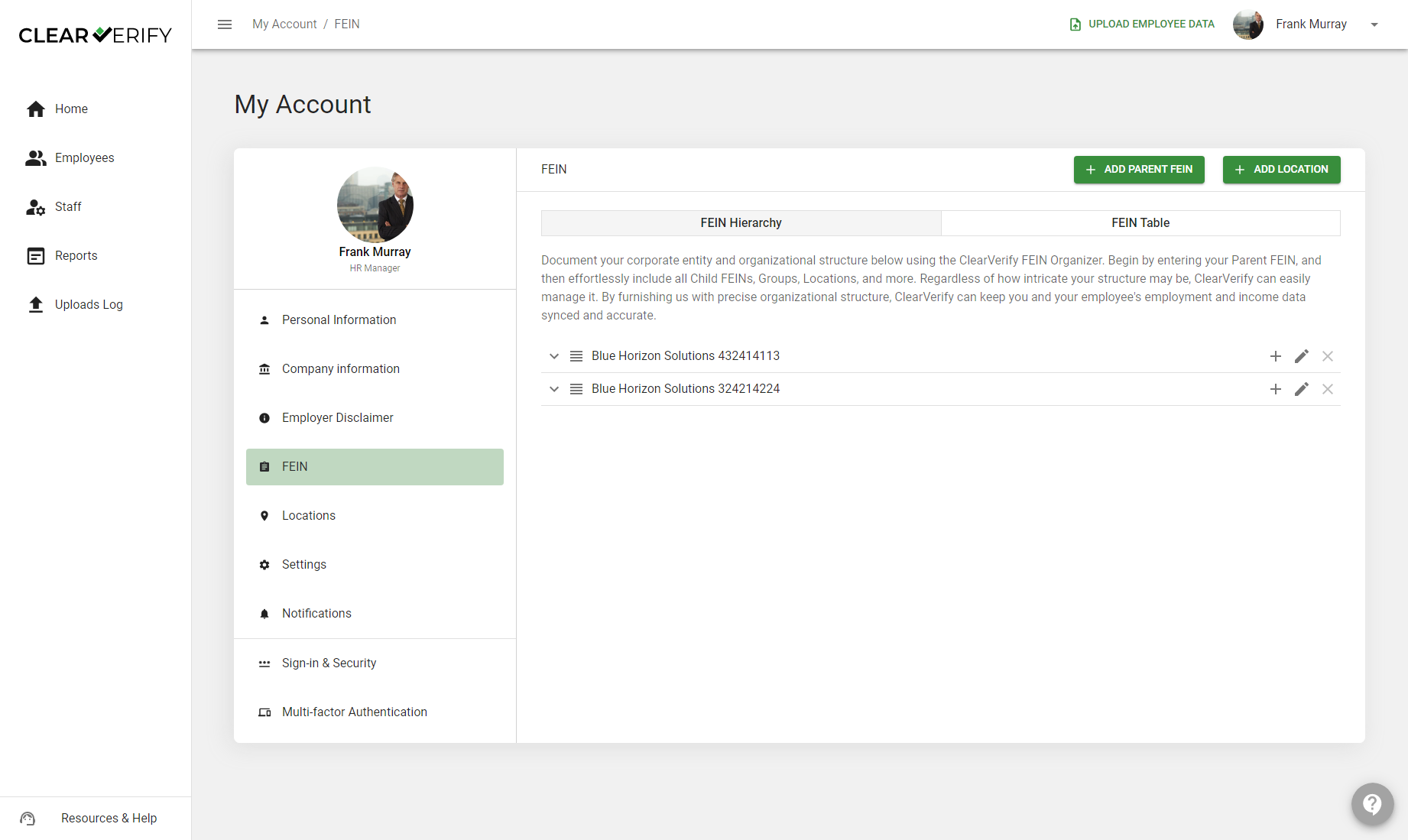
- Add any children FEINs by clicking the ‘+’ icon next to your Parent FEIN
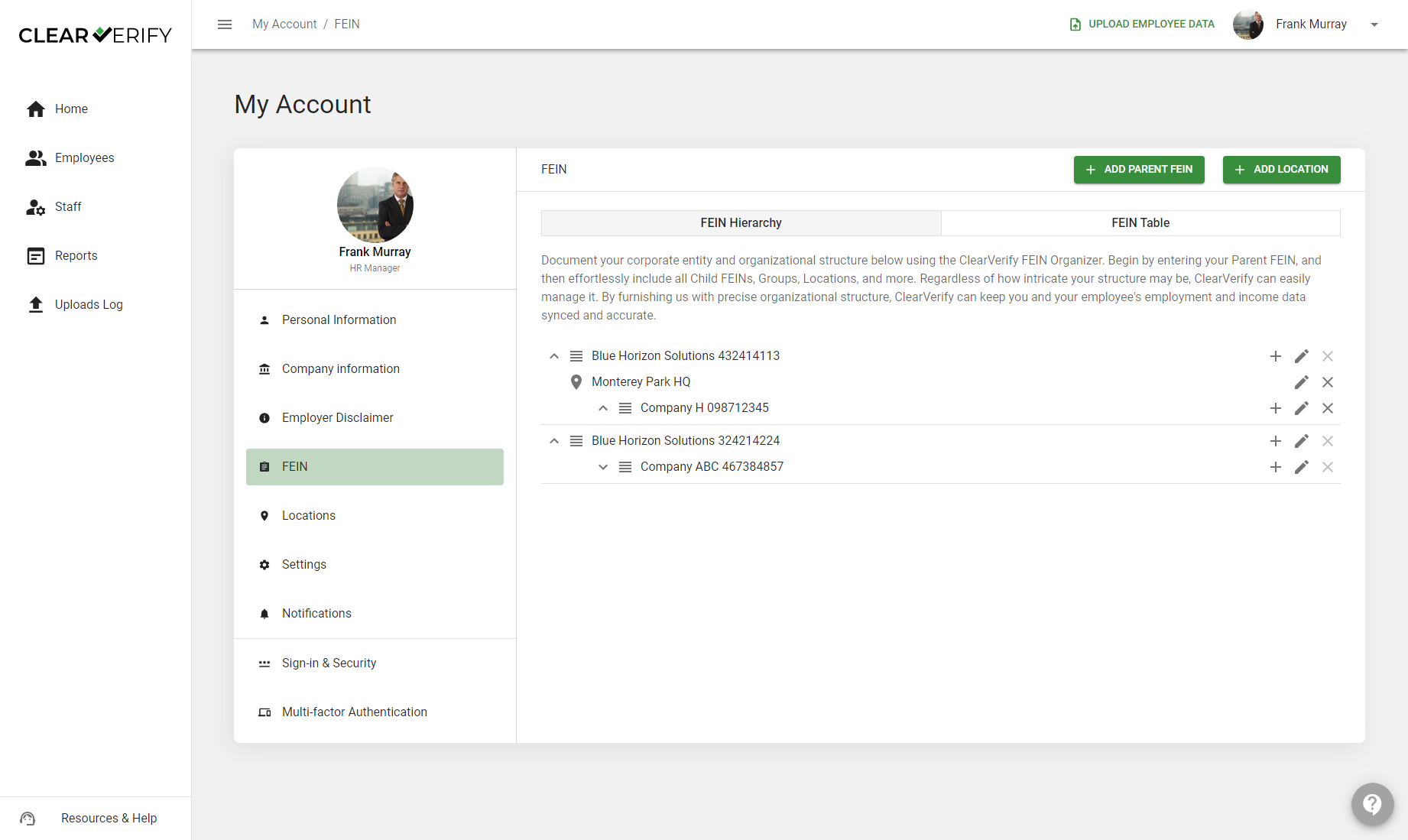
- Add regions/groups, locations, and additional children FEINs (if applicable)
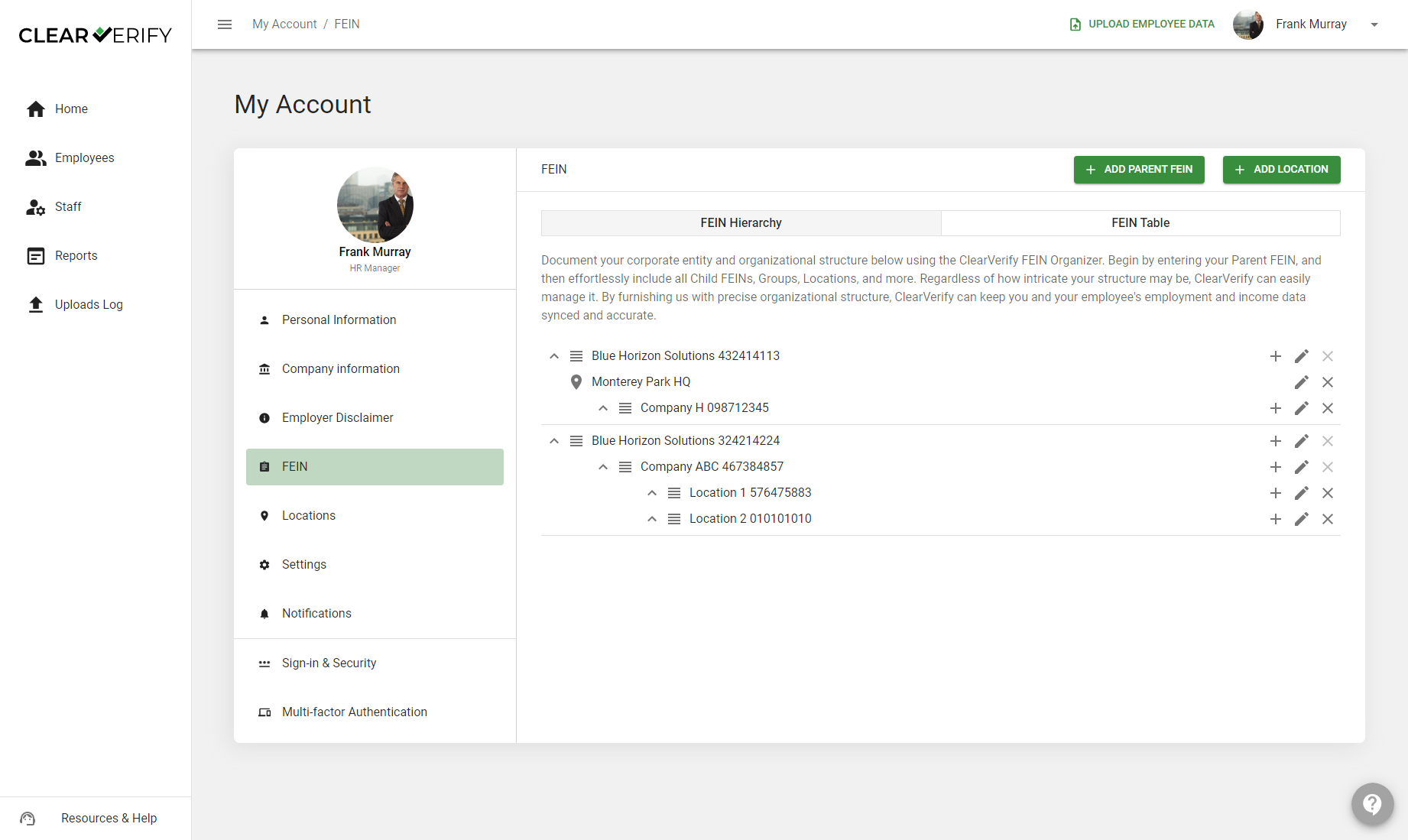
The Clear Verify Organization Builder is meant to be flexible and allow for any and all organizational structures - no matter how many layers, FEINs, regions, and locations you have, Clear Verify has you covered!
Need more help?