
In the Reports tab, you can view various reporting views to give you an alternative view of your employees’ verifications and data disputes with Clear Verify.
Available Reports
To view reports on verification activity and data disputes, click on the Reports tab.
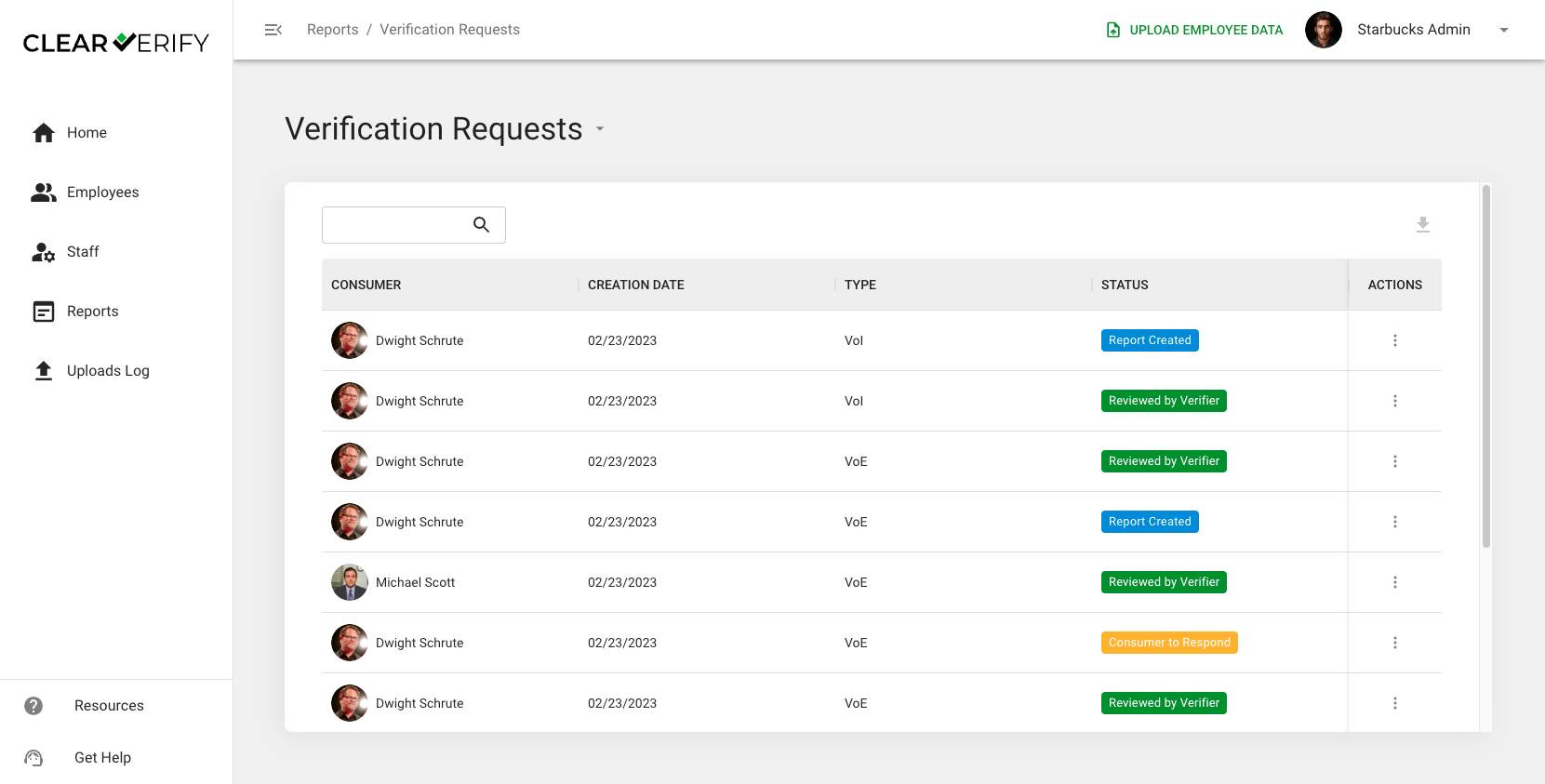
In the Reports tab, you have two different reports:
- Verification Requests: Listing of all verification requests initiated for your employees, the date, type, and status.
- Data Disputes: Listing of all data disputes submitted by your employees, including date submitted and status.
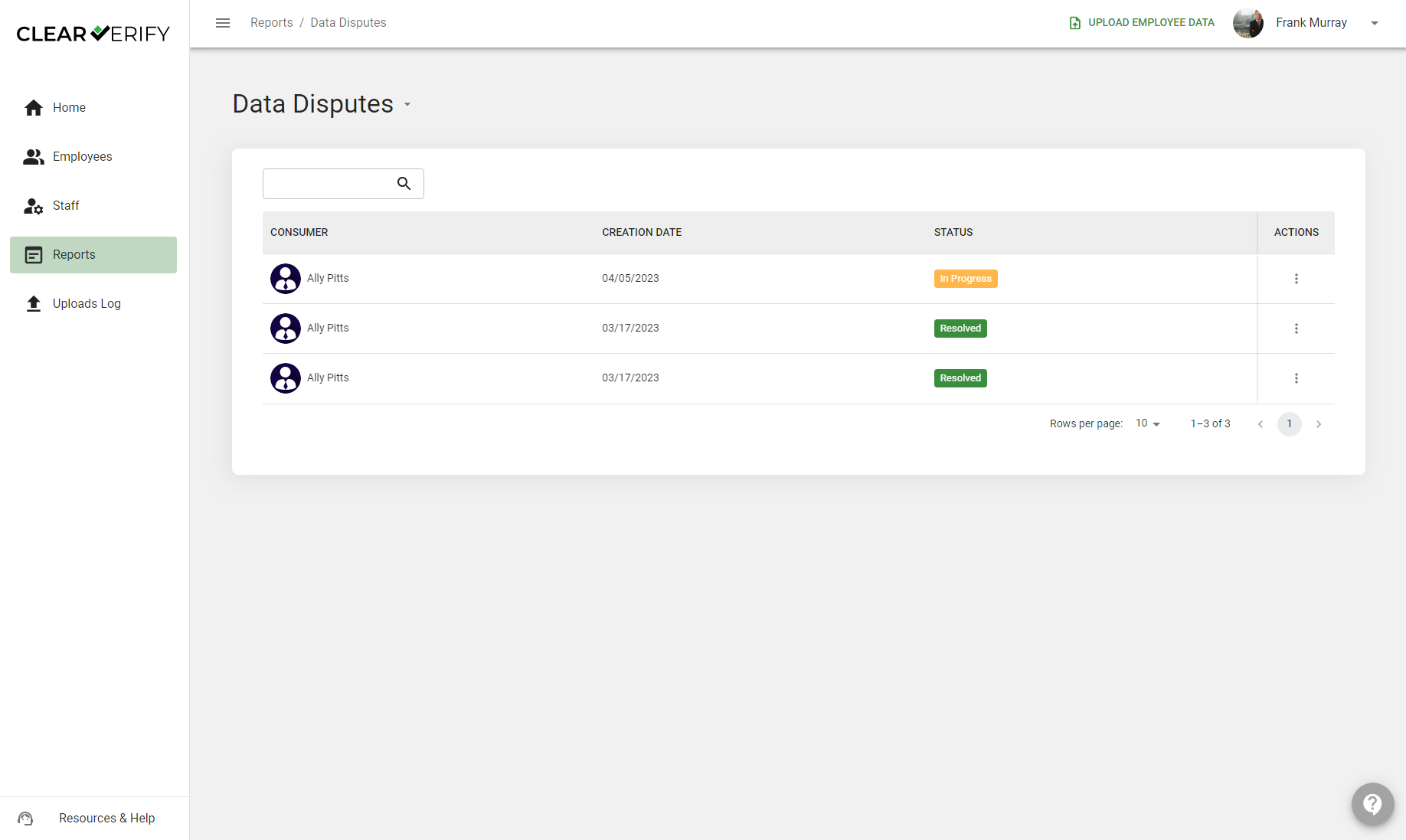
By clicking ‘View Details’ next to any record under the “Actions” column, it will bring you to the record in the Verification Inbox.
Need more help?